


Piano Trip - Magic Music Game
4.6203.00 Reviews
App Specs
- Version
- 1.5.8
- Updated On
- License
- Free
- Downloads
- 10,000,000+
- Developer
- Puzzle Games Star Studio
- Categories
- Music
- Platform
- Android, iOS
Screenshots



 Analysis by AppCompare
When I try a new music game, I usually know within a few sessions whether the tapping feels satisfying or like a chore. Piano Trip - Magic Music Game makes a lively first impression: it asks for attention, gives each song a clear rhythm to follow, and turns a short break into a small test of timing. That immediate pull is real, though the more useful question is whether the game still feels worth opening once the novelty wears off.
Why the first sessions are easy to enjoy
The basic appeal is simple to grasp. You listen, watch the tiles arrive, and tap in time. I like that the idea needs little explanation; someone can pick it up without knowing piano technique or music theory. The game is a music title from Puzzle Games Star Studio, and its accessible setup suits a quick try on a phone rather than a planned, lengthy session.
For a first visit, I’d choose a song whose beat feels familiar and focus on keeping a steady rhythm rather than chasing a perfect result. That makes the early attempts less frustrating and gives you a better sense of how the visual cues line up with the music. If a section goes wrong, I find it more helpful to notice whether I rushed or hesitated than to tap faster on the next attempt.
Getting Started
Downloading the app is a breeze. Once you’ve got it on your device, the interface is super intuitive. You’re greeted with a colorful, user-friendly menu that makes navigation a piece of cake. Whether you’re a newbie or a seasoned player, you’ll find it easy to get around.
Upon opening the app, you’re prompted to select a song. The library is extensive, featuring a variety of genres. From classical to pop, there's something for everyone. Personally, I started with some classic Beethoven before moving on to modern hits. The transition from one song to another is smooth, keeping you engaged throughout.
The Gameplay Experience
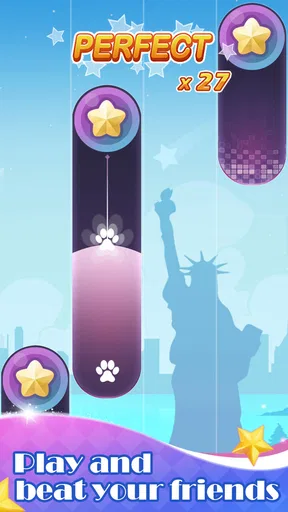
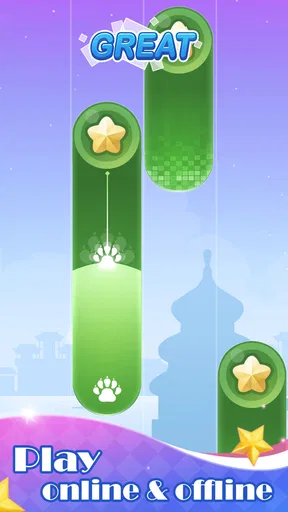
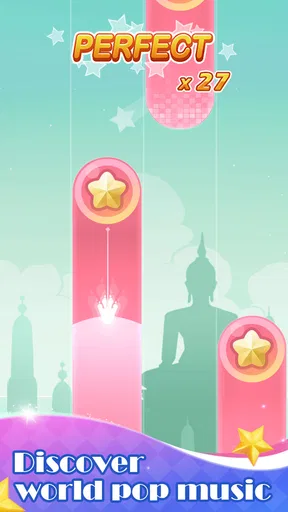
The heart of the game lies in its gameplay. As the music plays, tiles fall from the top of the screen, and your job is to tap them in time with the beat. Sounds easy, right? Well, it’s a bit trickier than it sounds, but that’s what makes it so enticing.
Each song has different levels of difficulty, so you can start slow and work your way up. The satisfaction of nailing a tricky section is unmatched. Plus, the app rewards you with points and stars based on your accuracy and timing, which is a neat way to track your progress.
Worth Reading Before You Choose

EA SPORTS FC Mobile 26 Is a Bigger Football Game, but It Takes Time

Flipboard Shows What News Apps Must Do Beyond the Feed

Switching to Android Auto Means Rethinking Your Driving Routine

Google Calendar Makes a Crowded Week Easier to Manage

Ludo King Makes the Most of the Minutes Between Plans

Baby Panda World Brings Quick Play to Modern Phones, but Its Game Library Feels Busy
A small routine that suits the game
In ordinary use, I’d treat this as a short, focused rhythm break rather than something to play while multitasking. The tiles require your eyes and fingers at the same time, so it is a poor fit for walking, commuting through a crowded station, or keeping half an eye on another task. A few minutes seated with the phone held steadily is a better setting, especially when you are still learning a song’s patterns.
One practical habit is to replay a song after a pause instead of immediately retrying it several times in frustration. A short reset helps me listen for the pulse again and makes mistakes easier to interpret. If I keep missing the same moment, I lower the difficulty rather than treating every miss as a reason to speed up. The point is to enjoy the rhythm, not turn every session into a test.
Who will keep coming back?
This is most appealing if you like quick, hands-on music challenges and enjoy improving through repetition. It can work well for someone who wants an uncomplicated game to pick up between errands or during a quiet break. The Everyone age rating also makes its general audience broad, although younger players may still benefit from an adult helping them manage screen time and decide when to stop.
If your main goal is to learn piano, this is not a substitute for lessons or a practice keyboard. Tapping falling tiles may sharpen your attention to timing, but it does not teach hand position, reading notation, or how to play an instrument. Likewise, if you prefer relaxed listening, a music player will serve you better; if you want a more demanding rhythm challenge, another game with a style you prefer may be a better match.
The Magic of Music and Gaming
Piano Trip - Magic Music Game isn’t just your run-of-the-mill music game. What sets it apart is the seamless blend of music and gaming that it offers. The app invites you to tap on tiles as they cascade down your screen, in sync with popular tunes. It's not only about playing music but also about feeling it, almost like you're a part of the song.
Visuals and Sound Quality
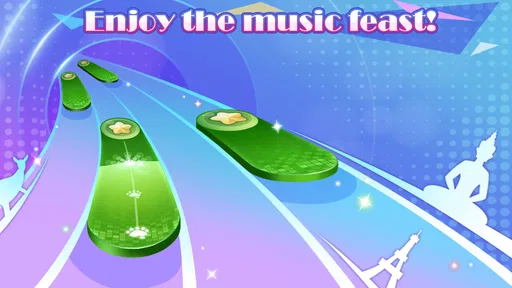
One of the first things you’ll notice is the vibrant visuals. The graphics are clean and vibrant, which adds to the overall appeal of the game. It’s a feast for the eyes while you’re busy tapping away.
The sound quality is top-notch as well. Each note is crystal clear, making your virtual piano playing feel almost real. It’s as if you’re playing an actual piano, and that’s something I really appreciate.
What changes after the novelty
The first few plays are powered by discovery: choosing a tune, getting used to the falling tiles, and seeing how accurately you can follow the beat. Over time, the reward shifts from novelty to repetition. I’d keep it installed if the basic loop itself is what I enjoy, rather than expecting a steady stream of new reasons to return. The game is at its best when I want to revisit a familiar song and improve my timing, not when I’m looking for a deep progression system.
A useful way to judge its staying power is to ask what you want from a music game. If you enjoy short attempts and visible feedback, points and stars can make a replay feel purposeful. If you need long-term variety, a broad social scene, or a constantly changing playlist to stay interested, the simple tile-tapping format may begin to feel repetitive. I would avoid turning a missed note into a reason to grind; stopping while the session is still fun makes it easier to return later.
Maintenance, device fit, and practical choices
The game is free, carries an Everyone content rating, and its current version is 1.5.8. It was released on October 12, 2021, and requires Android 6.0 or later. Its 4.6 average from around 14,000 ratings, along with over 10 million installs, suggests that many players have tried it, but those figures cannot tell you whether its particular rhythm style will suit you. I’d use them as context, then decide based on whether the core tapping feels good on your own device.
For maintenance, I’d keep the game updated through the store and check that the phone has enough free space before installing or updating it. Those are ordinary precautions, not a promise that an update will change the experience. If you play with sound, keep the volume comfortable; if you need to stay aware of people around you, lower it or choose a different activity. For a quick session at home, headphones can make the beat easier to follow, but they are not essential to understanding the controls.
Screen size and grip matter more here than they do in a turn-based game. I’d hold the phone in a stable position and avoid playing one-handed if the tile layout makes accurate taps awkward. On a smaller display, fingers can cover part of the action, so a deliberate, light touch is more useful than broad swipes. This is also why it is worth trying a song at a comfortable difficulty before deciding the game is too demanding: the trouble may be your grip or pace, not your sense of rhythm.
When another music game is a better fit
Compared with music games built around instrument simulation, this one asks for quick visual reactions rather than realistic piano technique. Compared with rhythm titles that emphasize complex charts or elaborate customization, its appeal is the direct relationship between a song and a stream of tiles. That makes it easier to start, but players who want a more technical challenge may find the format less satisfying once they have learned its basic rhythm.
It also differs from simply putting on a playlist: you cannot fully relax into the music while playing, because your attention has to stay on the incoming tiles. I’d choose a music app for background listening, a piano-learning tool for structured practice, and this game for an active, bite-sized challenge. That distinction prevents disappointment and makes the game’s modest purpose clearer.
Challenges and Rewards
The game doesn’t just stop at tapping tiles. There are challenges that you can participate in, which are a great way to test your skills. Competing against friends or players worldwide adds a competitive edge to the game.
As you progress, you unlock new songs and even more challenging levels. It keeps the motivation up and the excitement alive. Plus, the leaderboard feature lets you see how you stack up against other players, which is always a fun way to push yourself to improve.
Where fatigue can set in
Repeatedly watching tiles fall can become tiring if I play for too long, especially when I’m focused on scores instead of the music. The same loop that makes the game immediately understandable also limits how much it can change from one session to another. If I notice that I’m tapping mechanically and no longer enjoying the song, that is a good point to stop rather than push through more attempts.
Competition can add motivation, but it can also pull attention away from the relaxed appeal. I’d treat rankings as an optional nudge, not a measure of musical ability. A high score reflects performance in this game’s tapping format; it does not mean someone has learned to play piano. Keeping that distinction in mind makes the reward system more enjoyable and avoids setting the wrong expectation.
Final Thoughts
Overall, Piano Trip - Magic Music Game is a delightful blend of music and gaming that offers endless entertainment. Whether you’re looking to improve your rhythm or just want a fun way to pass the time, this app delivers. It’s perfect for all ages and skill levels, making it a versatile choice for anyone with a smartphone.
I highly recommend giving it a try. Who knows, you might just discover a hidden talent for virtual piano playing. Enjoy the journey, and happy tapping!
My recommendation is to try it as a casual rhythm game, not as a piano course or an app that must become part of your daily routine. A realistic use is opening it during a quiet break, choosing one song, and stopping when the session stops feeling rewarding. That keeps the experience low-pressure and gives you a fair sense of whether its timing challenge has lasting appeal for you.
I’d keep it on my phone if I still wanted those focused little music breaks after the first-week excitement faded. If I found myself opening it only out of habit, or wishing for deeper musical instruction and more involved play, I’d move on without feeling I had missed its purpose. The free entry makes trying it easy, but the lasting value comes down to one simple question: do you enjoy tapping along enough to want another round?
Pros
- Engaging and addictive gameplay.
- Wide variety of music tracks.
- User-friendly interface design.
- Regular updates with new songs.
- Offline mode available.
Cons
- Contains in-app purchases.
- Occasional ad interruptions.
- Limited free song selection.
- Requires internet for new songs.
- Battery consumption is high.
FAQs for Piano Trip - Magic Music Game
What is Piano Trip - Magic Music Game?
Piano Trip - Magic Music Game is an engaging music rhythm game available on both Android and iOS platforms. It allows players to tap along to a variety of popular songs, improving their musical timing and reflexes. The game features a range of song genres and difficulty levels to cater to both beginners and advanced players.
Is Piano Trip - Magic Music Game free to play?
Yes, Piano Trip - Magic Music Game is free to download and play. However, it offers in-app purchases for additional features, such as unlocking premium songs or removing ads. These purchases are optional, allowing players to enjoy the core gameplay experience without spending money.
What types of songs are available in Piano Trip - Magic Music Game?
The game features a diverse selection of songs across different genres, including pop, classical, rock, and electronic music. Players can choose from an extensive library to find songs that suit their preferences. New songs are regularly added to keep the gameplay fresh and engaging.
Does Piano Trip - Magic Music Game require an internet connection?
Piano Trip - Magic Music Game can be played offline, allowing users to enjoy the game without an internet connection. However, certain features, such as downloading new songs or accessing online leaderboards, will require connectivity. Playing offline is perfect for those who want to practice without interruptions.
How does the difficulty level work in Piano Trip - Magic Music Game?
The game offers multiple difficulty levels to accommodate players of all skill levels. Beginners can start with easier songs and gradually progress to more challenging tracks as they improve. Each song has different difficulty settings, ensuring a tailored experience that matches the player's abilities and growth.


